✦ One list, one code

Pack together.
Forget nothing.

gopackd is the shared packing list for trips. Create a list, share the five-letter code, and everyone ticks off the same bag — in real time, offline, without a single account.

Free · no sign-up · installable on iPhone & Android

gopackd list screen: shared packing list with categories and progress
NJFMB
✓ Jonas packed Sunscreen
⚡ Real-time sync — everyone sees the same list
✈️ Offline-first — packed in airplane mode
🔒 No accounts — a code is all you need
Features

Everything a shared packing list needs

No noise, no feed, no nudges. Just the list — for everyone on the trip.

🎟️

Invite with a code

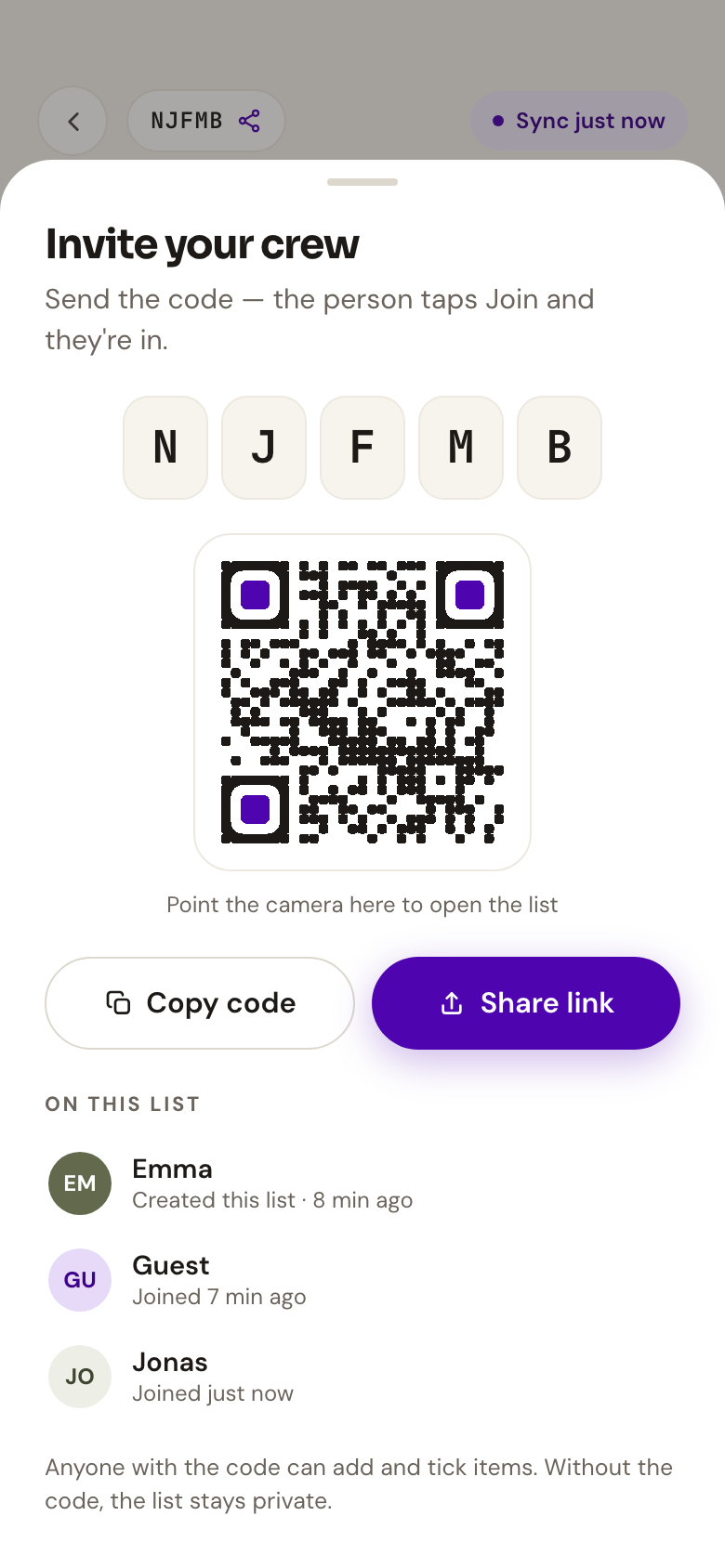
A five-letter code or QR link brings your crew in. No sign-up, no app store — the browser is enough.

🔄

Live, shared progress

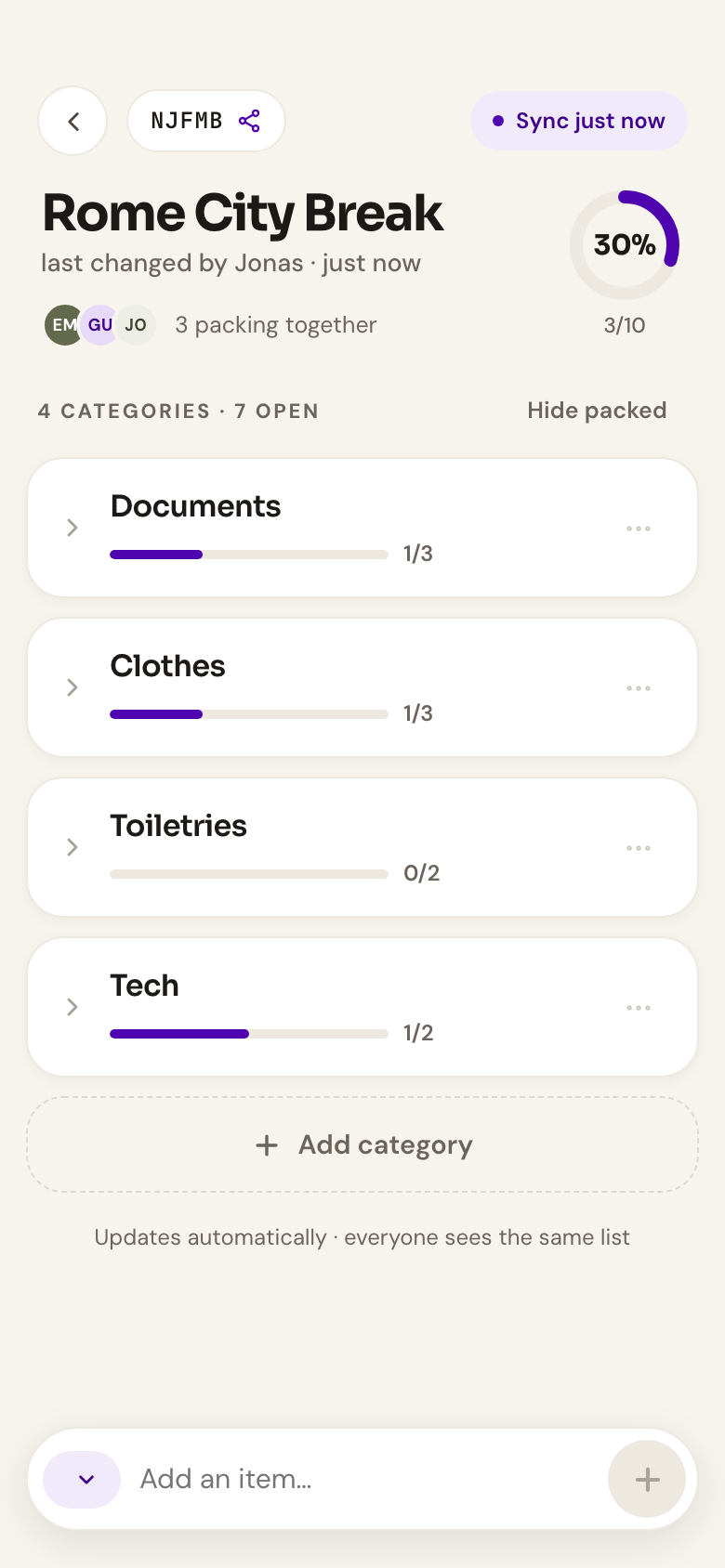
Check an item off and everyone sees it within seconds — including who packed what.

📴

Works offline

Installable as an app: open it in airplane mode, tick items offline — everything syncs when you're back.

📝

Quantities & notes

Two toothbrushes, one adapter, a note on the passports — the details live right on the item.

📊

Progress at a glance

Per-category bars and an overall percentage show how ready the bag really is.

🔐

Private by default

A list is only reachable through its code — no discovery, no feed, no search engines.

How it works

From idea to packed bag in three steps

No onboarding, no tutorial. If you can send a text message, you can use gopackd.

1

Create your list

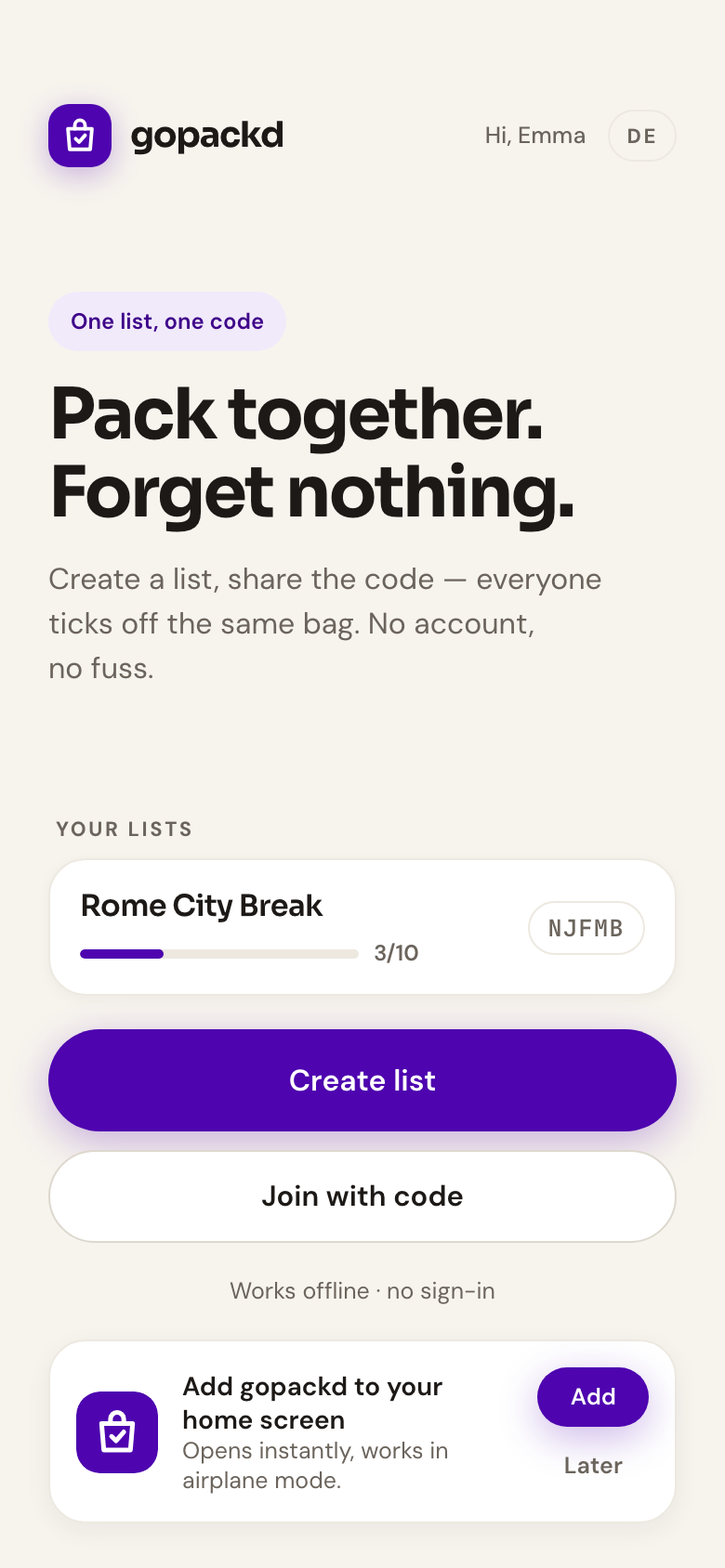
Tap “Create list” and give your trip a name — “Rome City Break”, “Ski week”, whatever it is. That's the whole setup.

gopackd home screen with a list card and progress
2

Share the code

Send the five-letter code or the QR link to your travel crew. Anyone who has it joins the list instantly — from any device.

gopackd share sheet with five-letter code and QR code
3

Pack together

Tick, add, and reorder items — everyone watches the list fill up in real time. The percentage says when you're ready to go.

gopackd list screen with categories, quantities and progress ring
FAQ

Good to know

Do I need to install anything?+
No — gopackd runs in any modern browser, right away. If you want it like a native app (own icon, opens instantly, works offline), add it to your home screen from the browser menu.
Is my list private?+
Yes. A list is only reachable by the people who have its five-letter code or share link — codes use an alphabet without look-alike characters and are not guessable. Without the code, nobody can find your list.
Does it work without internet?+
Yes. Once the app is installed, it opens and works fully offline — you can tick items in airplane mode. Changes are stored on your device and sync as soon as you're back online.
Who can edit the list?+
Everyone who joined via the code can add, edit, and tick items. The list shows who packed what, so nothing gets lost in the group chat.
What does gopackd cost?+
Nothing. gopackd is free for families and friends — no accounts, no ads, no upsell.
German or English?+
Both. Switch languages anytime in the app header — your choice is remembered on your device.
Ready to pack?

Create a list, share the code with your crew, and watch the percentage climb. It takes about twenty seconds.

Open the app
Already have a code? Open the app and tap Join with code.